
Google Search Console Just Started Tracking Your Social Media — Here's What It Means For Your Business
Google Search Console now lets you link Instagram, TikTok, YouTube and X accounts to see how your content performs in Google Search. Here's what it means for your business and how to set it up.
If you’ve ever used Search Console, you’ll know it as the free Google tool that shows exactly what people typed into Google before landing on your website: the search terms, the clicks, the impressions. It’s one of the first things we set up for every client, because it’s the closest thing to a direct line into what your customers are actually searching for.
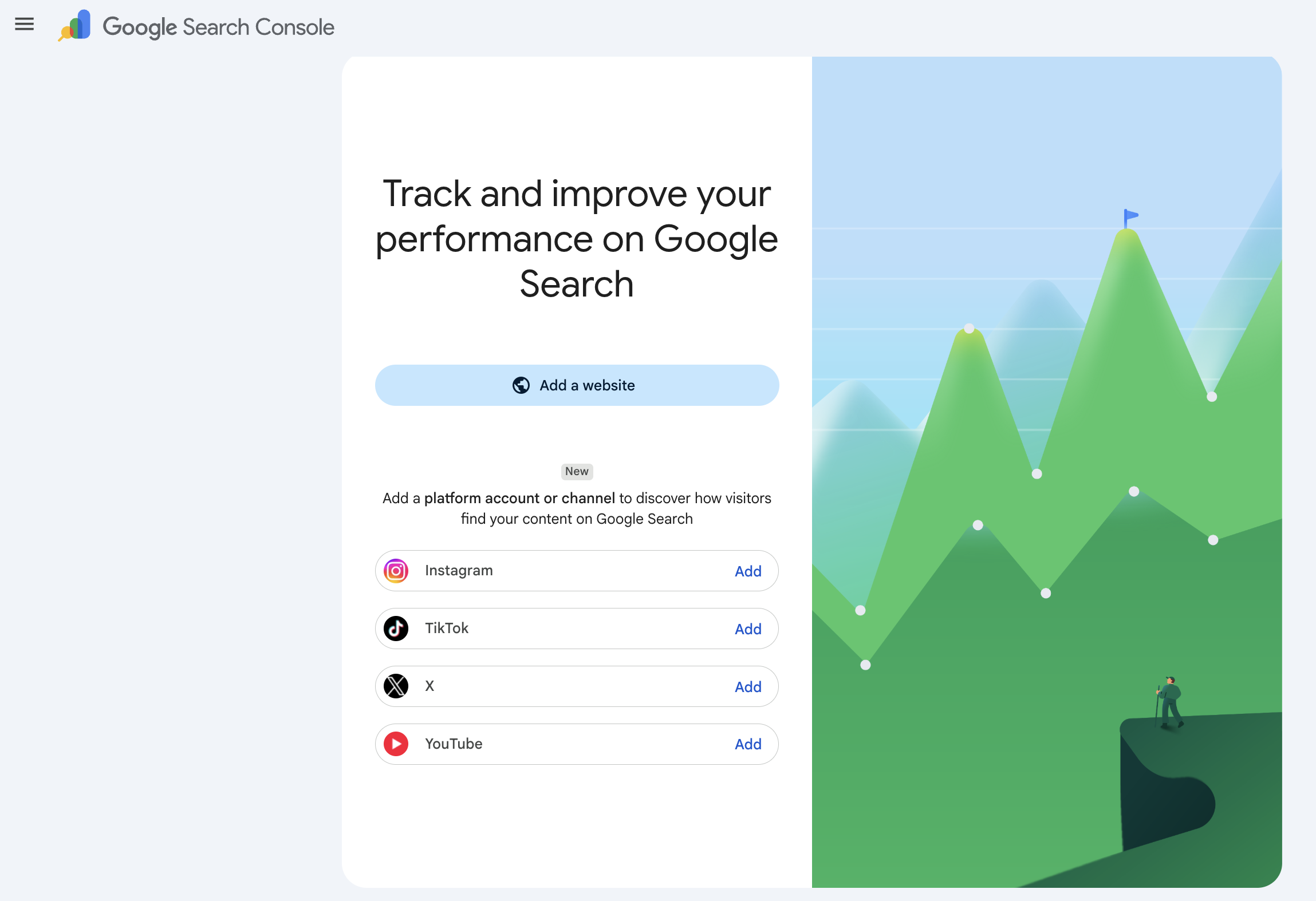
This week, we spotted something new sitting right next to the usual “Add a website” button: “Add a platform account or channel.” Underneath it, four options: Instagram, TikTok, X, and YouTube, each with their own “Add” button.
In plain English: Search Console can now track your social accounts the same way it’s always tracked your website.
Why this is worth 5 minutes of your time
Here’s the bit that matters for a business owner, not just an SEO nerd: Google’s search results haven’t just been websites for a while now. Scroll through a Google search today and you’ll often see Instagram posts, TikTok videos, and YouTube clips sitting right there in the results, not just links to homepages.
Which means your content might already be showing up in Google Search, and until now, there was no way to actually see it happening. Your Instagram and TikTok analytics tell you how your own followers engaged with a post. They’ve never been able to tell you whether someone found that same post by Googling something.
That’s the gap this closes. For the first time, you’ll be able to see if your social content is pulling in people who never even opened the app looking for you.
How to set it up
- Go to search.google.com/search-console and sign in with the account tied to your business.
- Instead of “Add a website,” look for “Add a platform account or channel.”
- Choose the platform: Instagram, TikTok, YouTube, or X.
- Verify you own the account (Search Console will walk you through connecting it).
- Give it a few days. Like website data, it won’t populate instantly.
What you’ll likely see
Based on how Search Console already works for websites, expect the same style of report: how many times your content appeared in Google Search (impressions), how many people clicked through, and, most usefully, the actual words people typed to find it. That last one is gold. It tells you what your audience is actually looking for, in their own words, not the caption you happened to write.
What this doesn’t replace
Your in-app analytics still matter. Likes, saves, watch time, follower growth: none of that lives in Search Console, and it never will. This new report is specifically about one thing: whether your content is showing up in Google Search, a channel most business owners have simply never had a window into before.
Think of it as filling in a blind spot, not replacing the dashboards you already check.
Worth checking, however small your business
You don’t need to be running paid ads or a big content team to benefit from this. If you post on Instagram, TikTok or YouTube at all, it costs nothing to link the account and see what’s there. Some businesses will find nothing yet. Others will be surprised at what’s already showing up.
If you run a beauty, wellness or lifestyle business and want a hand making sense of what your numbers are actually telling you, book a free 30-min call and we’ll walk you through it, no obligation.